In addition to its pre-made assignments, Dosage Calc 360 comes with Instructor Resources to save you some lesson-planning time. If you want PowerPoints and test banks to use within your class, you'll find them in your Instructor Resources!
To access your Instructor Resources, you must log into FADavis.com.

Log into FADavis.com with the same credentials you use to log into your LMS course. You will not need to create an F.A. Davis account.

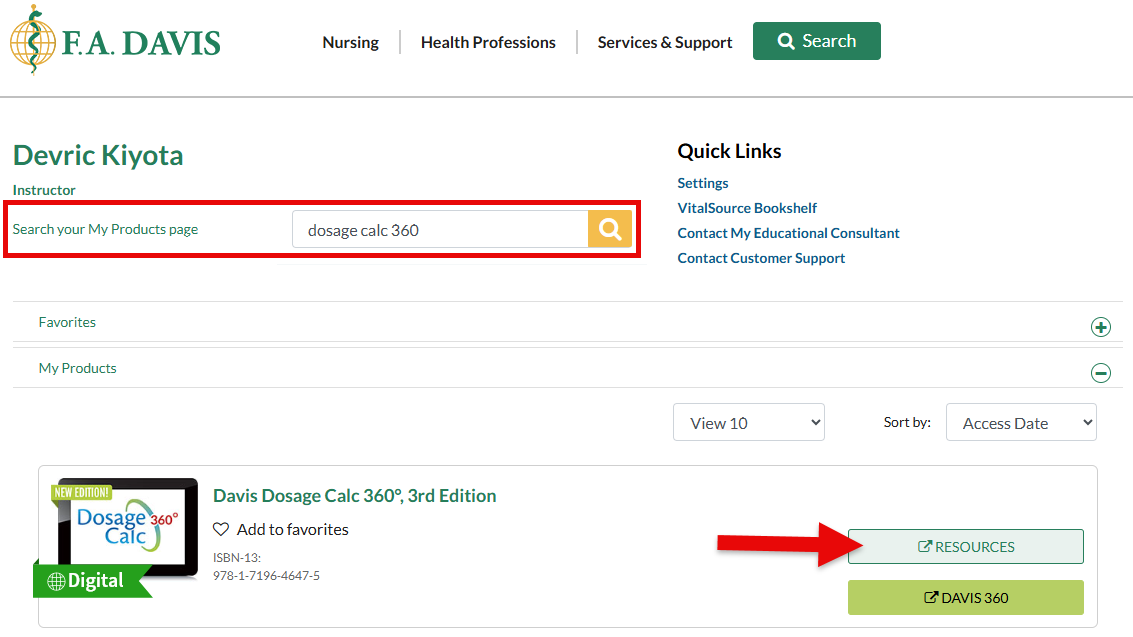
After logging into FADavis.com, you'll see your My Products page, with listings of all the F.A. Davis books you have access to.
Find Dosage Calc 360 and click its "Resources" button.
Your students won't be able to access the Instructor Resources that come with Dosage Calc 360. And, you can edit whatever you find in your Instructor Resources however you see fit!
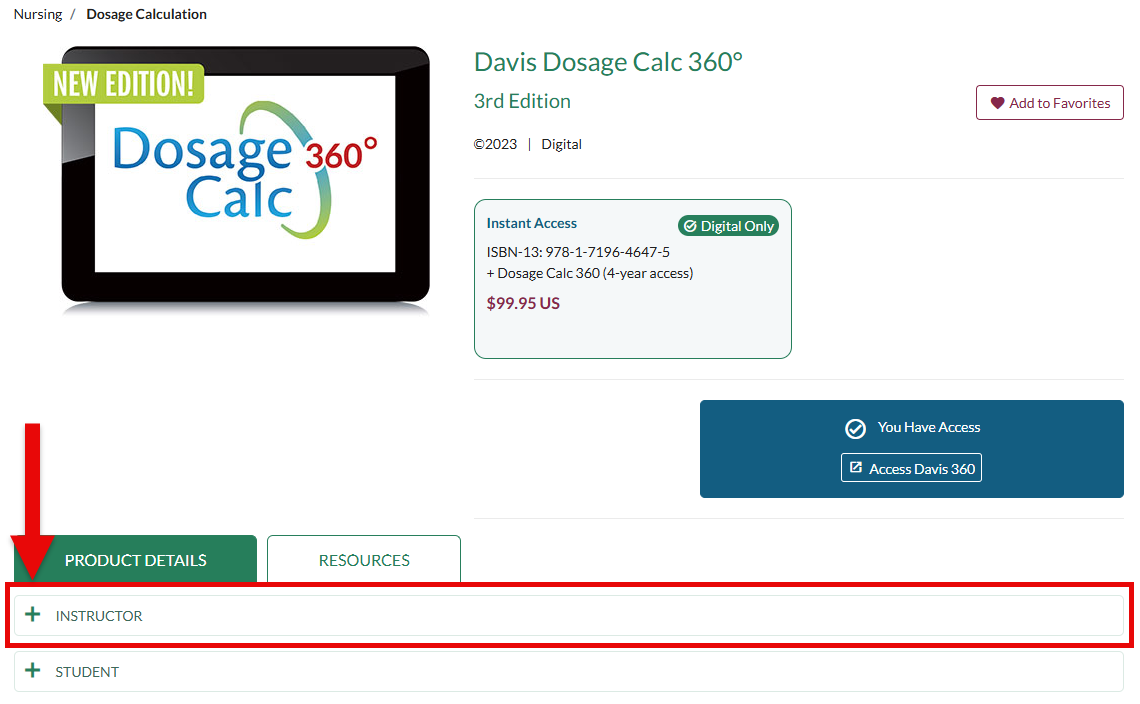
Click the "Instructor" dropdown menu to open your Instructor Resources.
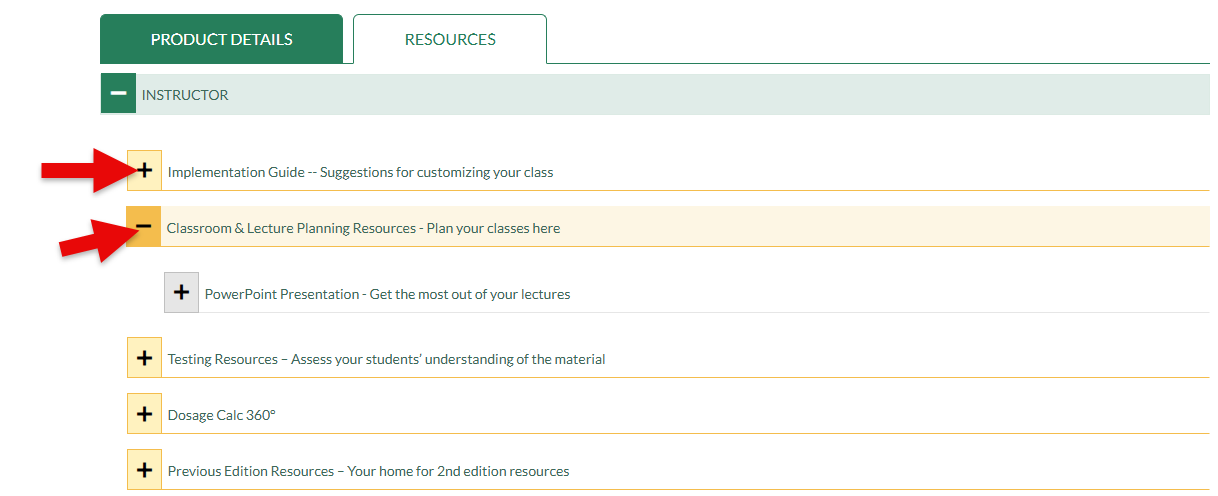
Within your Instructor dropdown menu, you can find an Implementation Guide with insights on using DC360 content in your class
Beneath the Implementation Guide, you can find full PowerPoint Presentations in the "Classroom & Lecture Planning Resources" dropdown menu of your Instructor Resources.
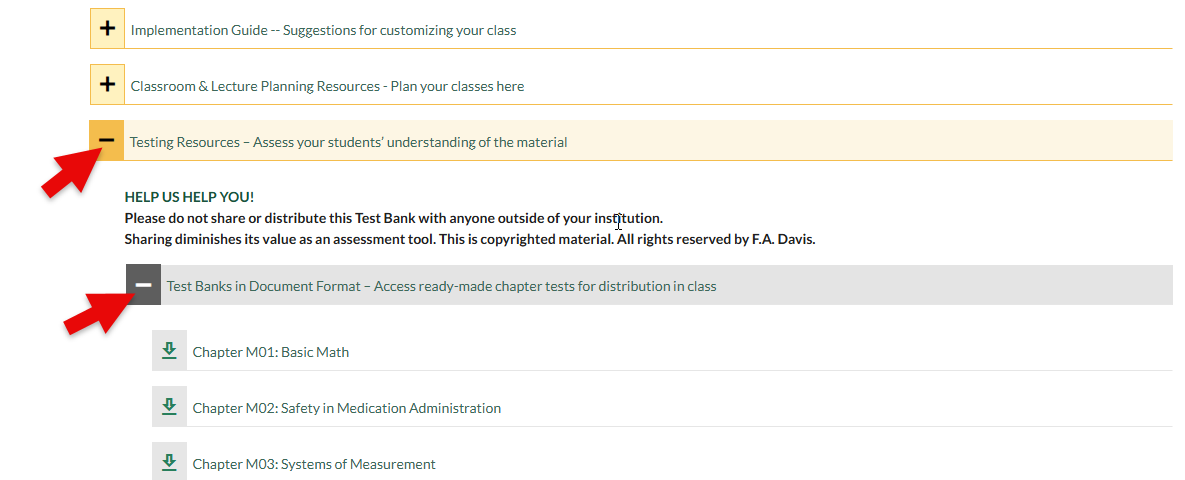
In the "Testing Resource" dropdown menu of your Instructor Resources, click the "Test Banks in Document Format" dropdown menu to find documents with premade test questions for each chapter/topic covered in Dosage Calc 360. Check with your admin to confirm whether the test banks seen here have already been added to your LMS course.
Please note, your Instructor Resources test banks aren't duplicates of the test banks in Dosage Calc 360, so you can use your Instructor Resources test banks to create your own in-class quizzes and tests!
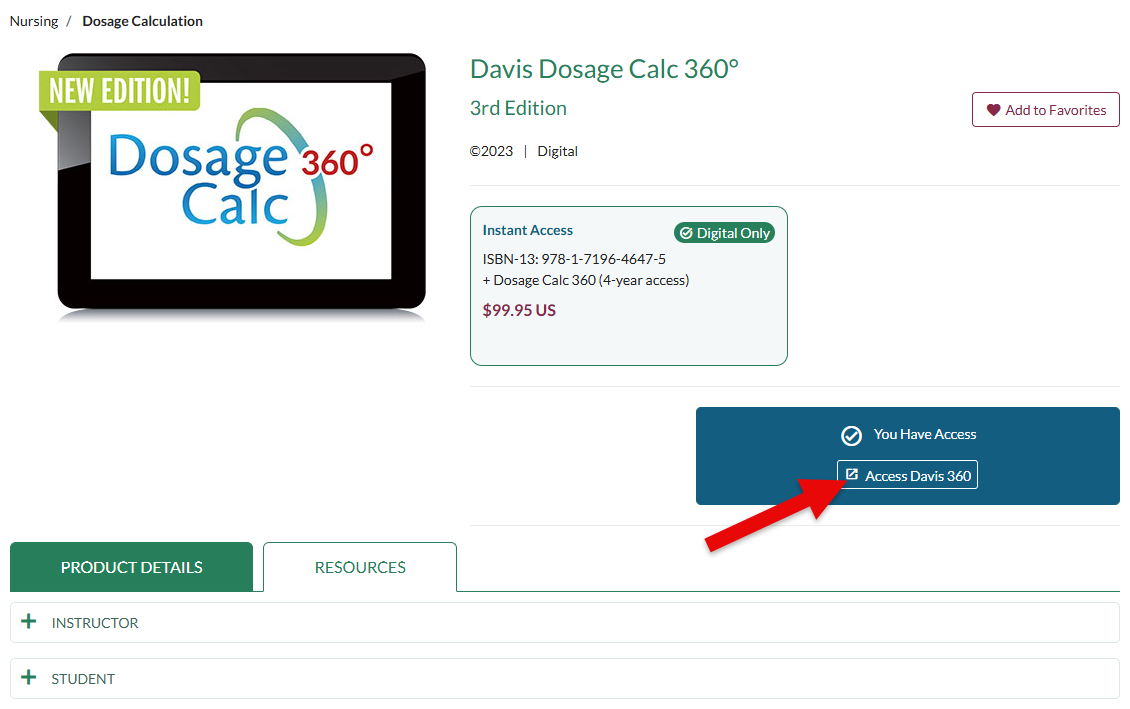
For resources you may want to direct your students toward, click the "Access Davis 360" button to begin navigating toward your Dosage Calc 360 class. If you haven't yet launched your DC360 class, please consult our instructor "Quick-start Guide" before proceeding.
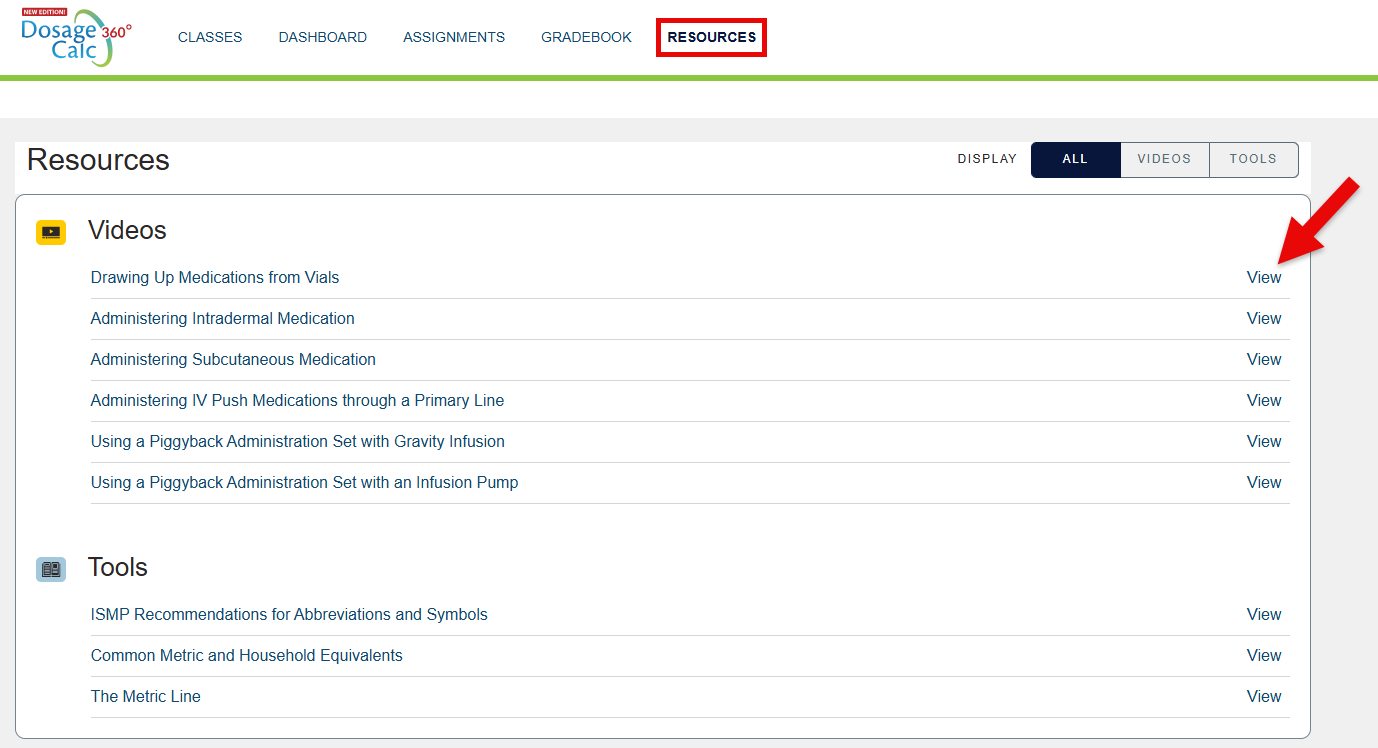
Once you're in your DC360 class, click "Resources" in the top-left navigation bar. Your students will also be able to access the DC360 resources we're navigating to, by clicking "Resources" in their own navigation bar.

Within your DC360 Resources page, your students and you can find additional videos related to dosage calculation, as well as downloadable reference sheets underneath the page's "Tools" listing.
Click "View" to access any of the respective resources listed on your Resources page.